Blurams 2k vs Wyze Cam Pan V3: Which One Should You Buy?
Two indoor coop cameras compared by resolution, pan and tilt, night vision, storage and outdoor rating, with the outdoor-rated pick ranked first.

On this page
Top picks at a glance
As an Amazon Associate I earn from qualifying purchases.
- 1
 WYZE Cam Pan v3 Renewed Indoor and Outdoor IP659.6/10View on Amazon
- 2
 blurams 2K Security Camera with 360-Degree9.5/10View on Amazon
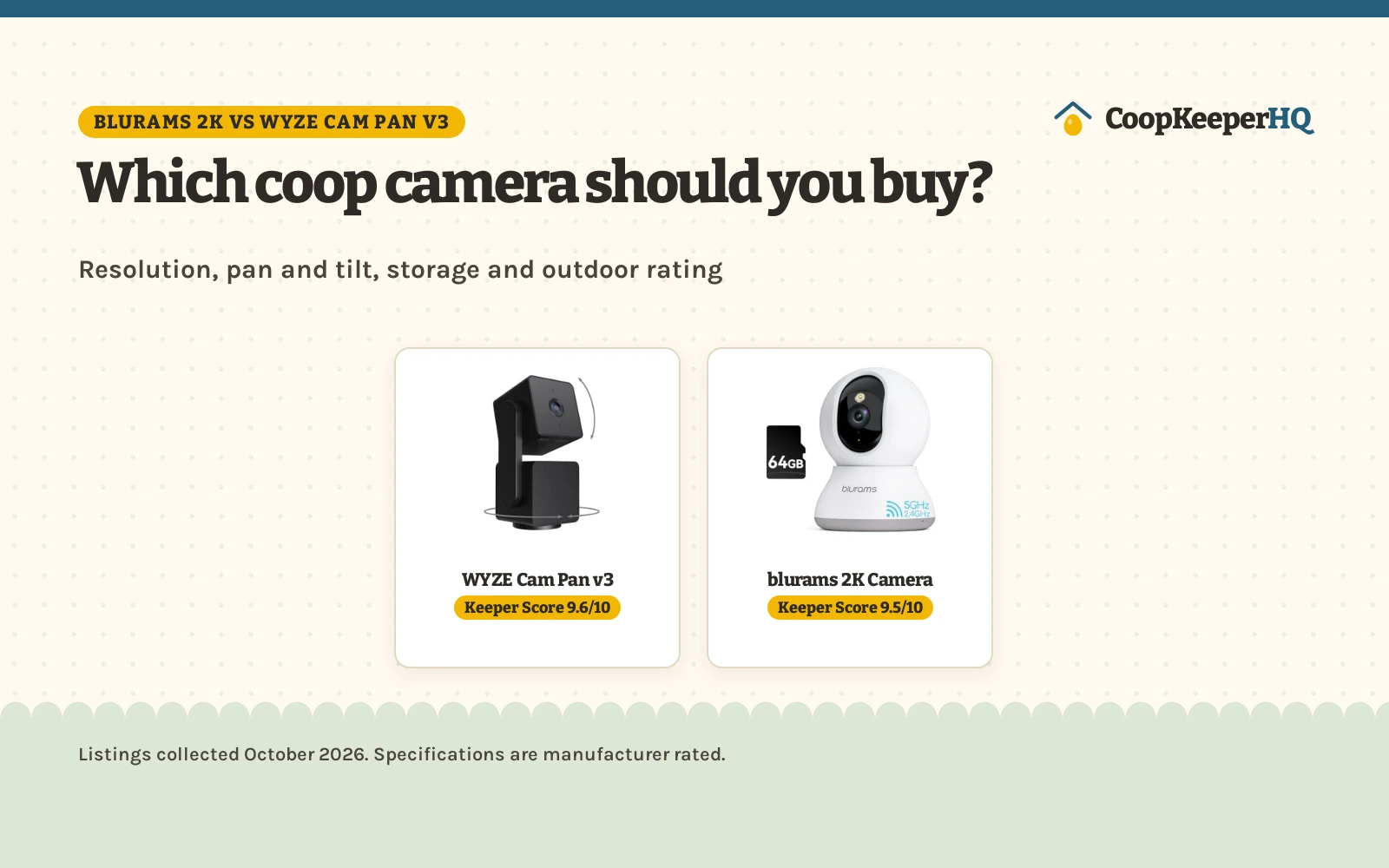
Blurams 2k vs Wyze Cam Pan V3 verdict: Choose the WYZE Cam Pan v3 for weatherproof coop watching with a spotlight and siren. Choose the blurams 2K for sharper indoor video and watching several cameras at once in one app view.
An evening check on the flock used to mean a walk to the coop with a flashlight, and a camera by the run changes that walk into a glance at a phone. The blurams 2k vs wyze cam pan v3 comparison puts two indoor coop cameras side by side: one with sharper video and multi-camera viewing, and one with an outdoor rating, a spotlight and a siren. We compared them by resolution, pan and tilt, night vision, storage and outdoor rating, using only what each listing publishes.
CoopKeeperHQ earns a commission if you buy through our links, at no added cost to you. Affiliate disclosure.
Two examples
WYZE Cam Pan v3 Renewed Indoor and Outdoor IP65
A renewed indoor and outdoor camera with 1080p video, 360-degree pan and 180-degree tilt, color night vision and an IP65 rating.
WYZE lists this renewed camera with 1080p video, 360-degree pan and 180-degree tilt, color night vision, AI motion tracking, and an IP65 rating for outdoor use. It adds up to 4 custom waypoints for automated monitoring, a built-in spotlight and siren, smoke and CO alarm notifications, custom motion zones, and local storage on a microSD card up to 512GB. The listing states the unit is Renewed, that it is not 5G compatible, and that an outdoor power adapter is required for outdoor use. It states a 90 days limited warranty and an item weight of 0.71 Pounds.
Pros
- 360-degree pan and 180-degree tilt with up to 4 custom waypoints
- Color night vision for low-light viewing
- IP65 rating for rain, heat and cold
- Built-in spotlight and siren for active deterrence
Cons
- 1080p resolution sits below the blurams 2K figure
- Title states the unit is Renewed, not a new unit
- Not 5G compatible, per the listing
- Outdoor power adapter required for outdoor use, per the listing
blurams 2K Security Camera with 360-Degree
A 2K camera with 360-degree coverage, motion tracking, two-way audio and an included 64GB TF card.
blurams lists this camera with 2K resolution, 360-degree coverage, automatic motion tracking, smart AI detection with instant alerts, and an IR-CUT function for day and night video. It records a 12 second alert video to the cloud, stored for 24 hours, and offers 24/7 continuous video recording in the cloud plus local storage on cards up to 128GB. The app shows live feeds from up to 4 cameras at once, shares access with unlimited family members, and supports two-way audio. The spec table item count reads 0, which clashes with the 1-pack entry in the same spec table, so the title and bullets give the safer read. No outdoor rating, warranty term or item weight is stated.
Pros
- 2K resolution with 360-degree coverage and motion tracking
- Included 64GB TF card in the package
- Live feeds from up to 4 cameras at once in the app
- Two-way audio plus a privacy mode
Cons
- No outdoor rating is stated in the listing
- No warranty term is stated in the listing
- Cloud alert videos are kept for 24 hours, per the listing
- No item weight is stated in the spec table
Other options for the coop
 WYZE Cam Pan v3Check price on Amazon
 WYZE Cam Pan v3 Indoor/Outdoor IP65-Rated 1080p Pan/Tilt/ZoomCheck price on Amazon
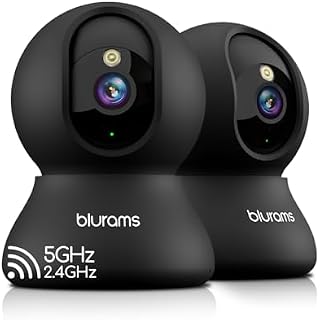 blurams 5G Indoor Cameras for Home SecurityCheck price on Amazon
 WYZE Cam Pan v4 4K Indoor/Outdoor Security CameraCheck price on Amazon
 WYZE Cam Pan v2 1080p WiFi Pan/Tilt/Zoom Indoor SecurityCheck price on Amazon
 WYZE Duo Cam Pan 2K Dual Cam Indoor/Outdoor Security CameraCheck price on Amazon
Blurams 2k vs wyze cam pan v3: side by side
| Camera | Keeper Score | Resolution | Pan and tilt | Storage | Outdoor rating |
|---|---|---|---|---|---|
| WYZE Cam Pan v3 | 9.6/10 | 1080p | 360° pan, 180° tilt | Up to 512GB microSD | IP65 |
| blurams 2K Camera | 9.5/10 | 2K | 360° coverage | Up to 128GB | Not stated |
Capacities and sizes are manufacturer ratings, quoted as the listing words them, collected 29 October 2026. Where a listing gives no figure, the card says so rather than borrowing one from the other side.
Resolution: 2K against 1080p
Resolution is the clearest split between the two sides, and both listings state it plainly. The blurams example states 2K resolution with 360-degree coverage, while the Wyze example states 1080p video with 360-degree pan and 180-degree tilt. A higher stated resolution can show finer detail in a given view, so the blurams example leads on this factor alone. Resolution is not the whole camera, though: the Wyze example answers with an outdoor rating and deterrence features the blurams example does not state at all.
Pan, tilt and tracking
Both cameras move, but they describe movement differently. The blurams example states 360-degree coverage with automatic motion tracking, while the Wyze example states 360-degree pan and 180-degree tilt with motion tracking and up to 4 custom waypoints for automated room monitoring. Waypoints give the Wyze example a patrol route the blurams example does not describe, while the blurams example leans on its wider stated coverage and multi-camera view. Neither listing states a pan speed, so that figure stays unclear on both sides.
Night vision, outdoor rating and deterrence
Night vision appears on both sides, in different words. The blurams example states an IR-CUT function for day and night video, even in dim conditions, while the Wyze example states color night vision for low-light viewing. The bigger gap is outdoors: the Wyze example states an IP65 rating for rain, heat and cold, with an outdoor power adapter required, while the blurams example states no outdoor rating. The Wyze example also adds a built-in spotlight and siren for active deterrence, plus smoke and CO alarm notifications, none of which the blurams example states. For a camera that faces the run from outside, the Wyze example is the only side with a stated outdoor rating.
Storage, app and privacy
Storage favors the Wyze example on paper. The Wyze example accepts a microSD card up to 512GB for local storage, while the blurams example supports memory cards up to 128GB and includes a 64GB TF card in the package. The blurams example answers with app viewing: live feeds from up to 4 cameras at once, sharing with unlimited family members, and 24/7 continuous video recording in the cloud. Both examples state a privacy mode, the blurams example by activating privacy mode in the app and the Wyze example by disabling the camera with one tap. The Wyze example states a 90 days limited warranty, while the blurams example states no warranty term.
Flock fit
WYZE Cam Pan v3
blurams 2K Camera
Fitting It to Your Flock
- Match the camera to the spot: the Wyze example carries the IP65 rating for an outdoor run wall, while the blurams example fits an indoor coop corner.
- Count the cameras before choosing: the blurams app shows up to 4 cameras at once, which suits a keeper watching several spots.
- Plan storage around the card: the blurams package includes a 64GB card, while the Wyze example accepts cards up to 512GB.
- Keep the daily routine simple: both examples state two-way audio and a privacy mode for everyday checks.
FAQ for the flock
Which camera has the higher stated resolution?
The blurams example states 2K resolution, while the Wyze example states 1080p video. Both state 360-degree coverage of the room.
Which camera can sit outside the coop?
The Wyze example states an IP65 rating for rain, heat and cold, with an outdoor power adapter required. The blurams example states no outdoor rating.
Which camera accepts the larger memory card?
The Wyze example accepts a microSD card up to 512GB. The blurams example supports memory cards up to 128GB and includes a 64GB TF card.
Does the Wyze listing state a warranty?
Yes, the Wyze listing states a 90 days limited warranty. The blurams listing states no warranty term.
Is the Wyze example a new unit?
No, the Wyze title states that the unit is Renewed. The blurams title states no renewed status.
How the Coop Score came out
The Keeper Score weighs performance, build, value, safety and warranty, using only what each listing publishes. For a coop camera, safety here reflects a stated outdoor rating; the Wyze example states an IP65 rating, while the blurams example states no outdoor rating or safety certification. The Wyze example states a 90 days limited warranty, and the blurams example states no warranty term. The weights are on our How We Pick page.
| Product | Keeper Score | Perf. /35 | Build /25 | Value /25 | Safety /10 | Warranty /5 |
|---|---|---|---|---|---|---|
| WYZE Cam Pan v3 | 9.6 | 29 | 21 | 20 | 7 | 2 |
| blurams 2K Camera | 9.5 | 30 | 21 | 21 | 0 | 0 |
Keeper Scores run between 9.2 and 9.8. We spread weighted point totals across that window proportionally, so a product with more points always lands higher.
Which should you choose?
Choose the WYZE Cam Pan v3 if you want a camera that can sit outside the coop, with an IP65 rating, a spotlight, a siren and local storage up to 512GB.
Choose the blurams 2K if you want sharper indoor video, an included 64GB card, and live feeds from up to 4 cameras in one app view.
Wash your hands after handling birds, eggs or equipment, supervise children around the flock, and check local rules on flock size and roosters before you buy. For sick birds, call a poultry veterinarian or your state extension office. See CDC backyard poultry guidance. Read our Safety Disclaimer.